Trimble Connect Planner V3 and examples from infrastructure and road projects
VIDEO: Short video about Trimble Connect Planner
BuildingPoint Scandinavia has released Version 3 of the Trimble Connect Planner extension!
Originally developed for building erection planning in collaboration with contractors like Overhalla Betongbygg, earlier versions of Planner were primarily used for erection planning of prefabricated structures—such as steel and concrete elements—the tool is now being applied to infrastructure projects and road construction.
Planner V3 continues to offer a visual, model-based planning workflow that links 3D geometry with time-based sequences. This enables teams to simulate construction activities, coordinate more effectively, and identify issues early—offering a more connected alternative to traditional tools like Excel or MS Project.
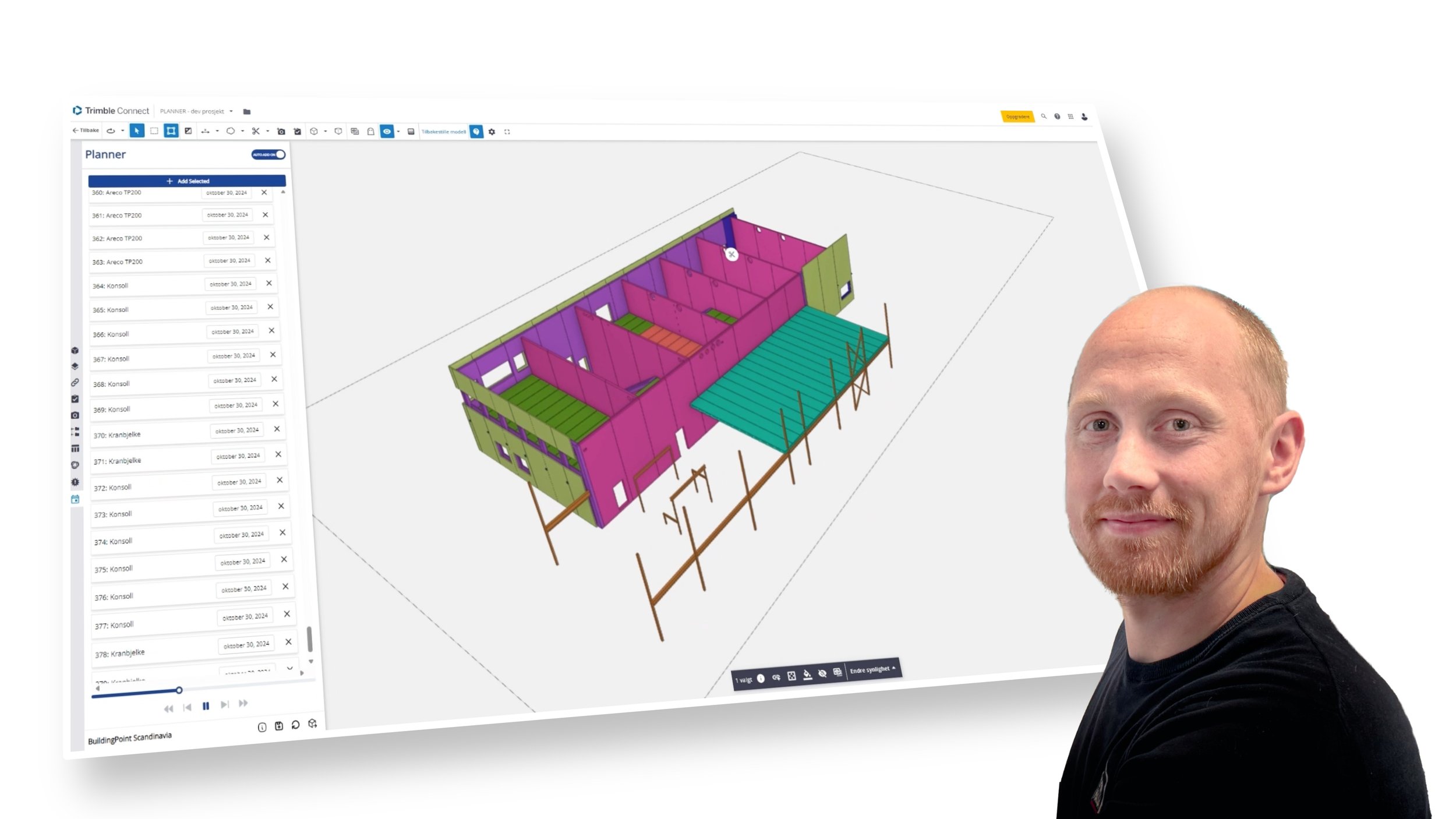
Overhalla Betongbygg improves planning with Trimble Connect Planner Extension
In this road and tunnel project, the project team used Planner to develop a 4D simulation that supported both the tender phase and ongoing execution.
Andreas Haugbotn, BIM Coordinator at ViaNova, explained that 4D simulations are often required as part of the contract, but their value in execution is often underestimated.
In this case, geotechnical constraints required a precise sequence: backfilling and load relief had to be completed before excavation could begin on the tunnel face.
With tight logistics on the site, coordination was essential. The visual plan clarified dependencies and helped align planning with site execution.
Fornebubanen - K7 Lysaker and Vækerø stations (Veidekke)
On this urban rail project, Veidekke have been looking into how they can use Planner to support takt-based production planning in a confined tunnel environment.
By linking model elements to predefined work packages, the team can develop a takt plan, aligning crew movements and work sequences with available space and crane capacity, according to Øyvind Svaland in Veidekke.
The tunnel profile limited lifting operations, and the 4D construction planning simulations can help determine what could realistically be achieved on-site. The team is now planning to use this to optimize their plan and reduce potential disruptions.
What’s new in Planner V3
Planner V3 introduces a range of updates designed to support larger projects, improve usability, and handle more complex planning scenarios across different construction sectors.
Redesigned interface and project handling
IMAGE: The Planner v3 user interface was improved based on feedback from users.
The interface has been cleaned up for a more intuitive user experience, with autosave built into the planning workspace.
Planner now handles larger projects more efficiently, including support for multiple models and all standard industry file formats. This makes it suitable not just for precast and building projects, but also for infrastructure and civil works.
My plans and published plans
IMAGE: Published Plans support version control, and you can control read or write access controlled via Trimble Connect team roles
Planning is now separated into two modes:
My Plans is your working area with autosave enabled.
Published Plans support version control and allow you to attach views from Trimble Connect for added context.
Permissions can be managed on published plans, with read or write access controlled via Trimble Connect team roles.
More flexible task creation
IMAGE: Two new ways to assign objects to tasks expand the use cases: “Group Tasks” and “Deconstruction Tasks”
Two new ways to assign objects to tasks expand the use cases:
Group Tasks let you assign multiple model objects to a single task, which helps when planning grouped installations.
Deconstruction Tasks support temporary structures or elements that are not part of the permanent build, such as formwork or bracing.
Improved labeling and attribute handling
IMAGE: Planner 3 has improved task labeling
Labels for tasks can be generated automatically from model attributes. In multi-model setups, fallback logic ensures Planner still displays correct task names if attributes vary between files.
If a model update deletes or replaces GUIDs, Planner can now reconnect the task using a stable attribute—provided that consistent naming or tagging is used during design.
Calendar and export enhancements
IMAGE: Planner 3 has improvements that reflect feedback from contractors to support more complicated planning in infrastructure and civil projects.
A new visual calendar lets you define working and non-working days for the entire project. Export options have also been expanded, giving you more control over what data is included in the exported schedule files (CSV or TXT).
These improvements reflect feedback from contractors using Planner in real projects and support broader adoption in civil and infrastructure work.
Get access to Trimble Connect Planner 3.0

OTHER ARTICLES